The destroy action
這節要完成「delete」的連結和 destroy action 的設定。
首先要為 index 頁面上的每個使用者加上「delete」連結,並限制只有管理員才會看到:
app/views/users/_user.html.erb
<li>
  <%= gravatar_for user, size: 50 %>
  <%= link_to user.name, user %>
  <% if current_user.admin? && !current_user?(user) %>
    | <%= link_to "delete", user, method: :delete,
                                  data: { confirm: "You sure?" } %>
  <% end %>
</li>
注意 method: :delete 參數,它是用來處理 DELETE 請求。
由於瀏覽器無法傳送 DELETE 請求,所以 Rails 會使用 JavaScript 來模擬請求,也就是說如果使用者停止使用 JavaScript,「delete」連結將失去作用。
如果一定要支援沒有啟用 JavaScript 的瀏覽器,可以使用一個發送 POST 請求的表單來模擬 DELETE 請求,詳情參考:Destroy Without JavaScript。
加完「delete」連結的畫面如下:
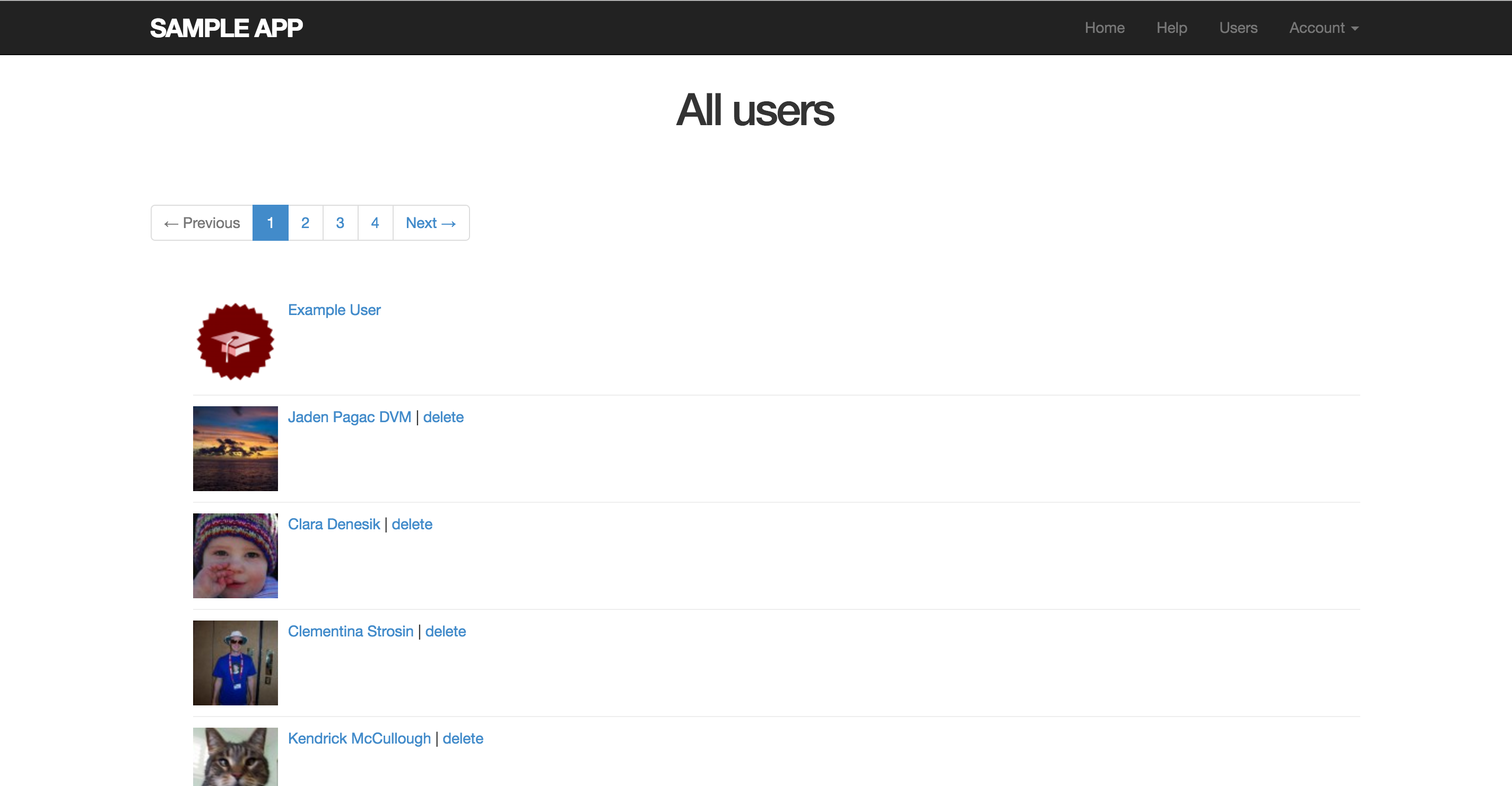
接著設定 destroy action,我們要找到相對應的使用者,刪除使用者,然後導向 index 頁面,因為必須要登入才執行刪除的動作,所以也要把 destroy action 加進 before filter 裡面:
app/controllers/users_controller.rb
class UsersController < ApplicationController
  before_action :logged_in_user, only: [:index, :edit, :update, :destroy]
  before_action :correct_user,   only: [:edit, :update]
  .
  .
  .
  def destroy
    User.find(params[:id]).destroy
    flash[:success] = "User deleted"
    redirect_to users_url
  end

  private
  .
  .
  .
end
根據我們之的設定,只有管理員才能刪除使用者,因為只有管理員才看得到「delete」連結,但還是有一個安全的漏洞:只要駭客有足夠經驗,可以透過指令發送 DELETE 請求刪除使用者。因此,我們需要限制對 destroy action 的訪問,只有擁有管理員(admins)身份的使用者才能刪除。
我們要透過 before filter 來限制身份:
app/controllers/users_controller.rb
class UsersController < ApplicationController
  before_action :logged_in_user, only: [:index, :edit, :update, :destroy]
  before_action :correct_user,   only: [:edit, :update]
  before_action :admin_user,     only: :destroy
  .
  .
  .
  private
    .
    .
    .
    # Confirms an admin user.
    def admin_user
      redirect_to(root_url) unless current_user.admin?
    end
end