Destroying microposts
最後要為 Microposts resource 加上最後一個功能,刪除貼文。跟刪除使用者一樣,我們會使用「delete」連結,mockup 如下:
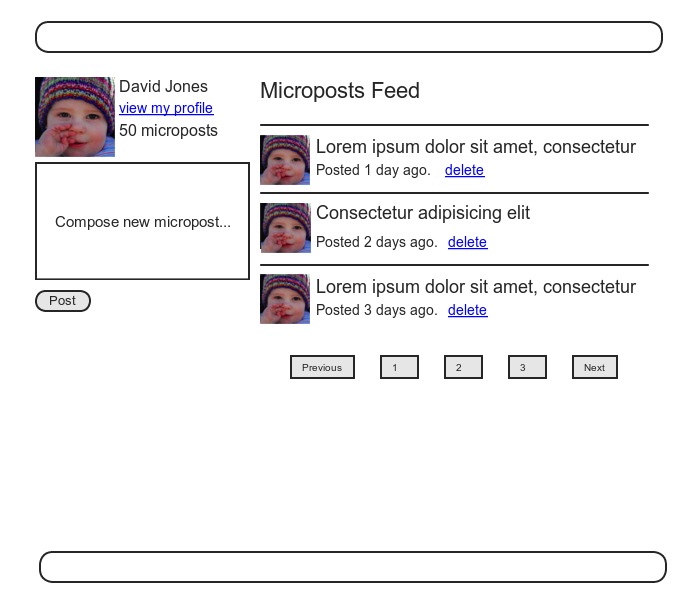
不過刪除使用者只有管理員可以執行,而刪除貼文只有發表的使用者才能刪除。
首先我們要在 micropost partial 加上「delete」 連結:
app/views/microposts/_micropost.html.erb
<li id="<%= micropost.id %>">
  <%= link_to gravatar_for(micropost.user, size: 50), micropost.user %>
  <span class="user"><%= link_to micropost.user.name, micropost.user %></span>
  <span class="content"><%= micropost.content %></span>
  <span class="timestamp">
    Posted <%= time_ago_in_words(micropost.created_at) %> ago.
    <% if current_user?(micropost.user) %>
      <%= link_to "delete", micropost, method: :delete,
                                       data: { confirm: "You sure?" } %>
    <% end %>
  </span>
</li>
接著就要在 Microposts controller 定義 destroy action,跟之前刪除使用者的例子一樣。不同的是,在 Users controller 中,我們透過 admin_user before filter 定義 @user 變數來尋找使用者;但現在要透過關聯尋找貼文,如果某位使用者試圖刪除其他使用者的貼文,將會自動失敗。
我們把尋找貼文的操作放在 correct_user before filter 中,確保目前使用者確實擁有指定 id 的貼文:
app/controllers/microposts_controller.rb
class MicropostsController < ApplicationController
  before_action :logged_in_user, only: [:create, :destroy]
  before_action :correct_user,   only: :destroy
  .
  .
  .
  def destroy
    @micropost.destroy
    flash[:success] = "Micropost deleted"
    redirect_to request.referrer || root_url
  end

  private

    def micropost_params
      params.require(:micropost).permit(:content)
    end

     def correct_user
      @micropost = current_user.microposts.find_by(id: params[:id])
      redirect_to root_url if @micropost.nil?
    end
end
注意,在 destroy action 中 URL 的導向:
request.referrer || root_url
request.referrer 方法和實現友善導向時用的 request.url 關係緊密,表示為前一個 URL(在這裡是指 Home page)。
對應 HTTP 規範中的 HTTP_REFERER,注意,「REFERER」不是錯誤拼寫,HTTP 規範就是這麼寫的,Rails 更正了這個錯誤,寫成「referrer」。
原作者沒有立即想到如何在 Rails 中得到這個 URL,所以他在 Google 搜尋「rails request previous url」,在 Stack Overflow 中找到這個解答。
因為首頁和資料頁面都有貼文,所以這麼做很方便,我們使用 request.referrer 把使用者重新導向到發起刪除請求的頁面,如果 request.referrer 為 nil(例如在某些測試中),就導向到 root_url。
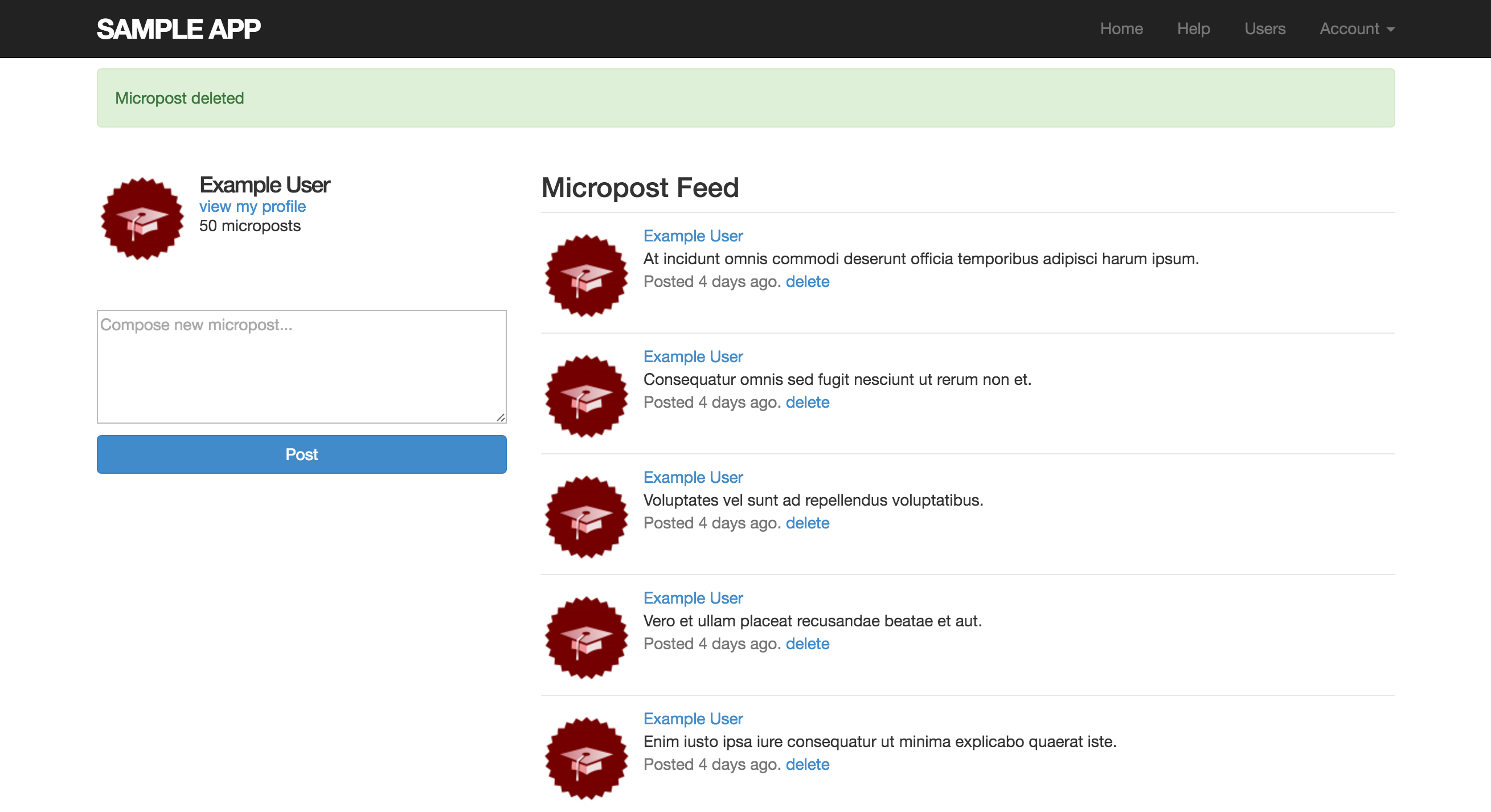
刪除最新發表的貼文畫面如下: