Finding and authenticating a user
跟建立使用者註冊的步驟一樣,我們會先處理提交無效的(invalid)表單資料。先分析提交表單之後會發生什麼事,然後在登入失敗時顯示有幫助的錯誤訊息,以此為基礎,再繼續處理登入成功的情況。
現在來設定 Sessions controller 的 create action,使用 render 渲染 new 頁面,然後加上 destroy action:
app/controllers/sessions_controller.rb
class SessionsController < ApplicationController

  def new
  end

  def create
    render 'new'
  end

  def destroy
  end
end
現在瀏覽 /login ,並按下送出:
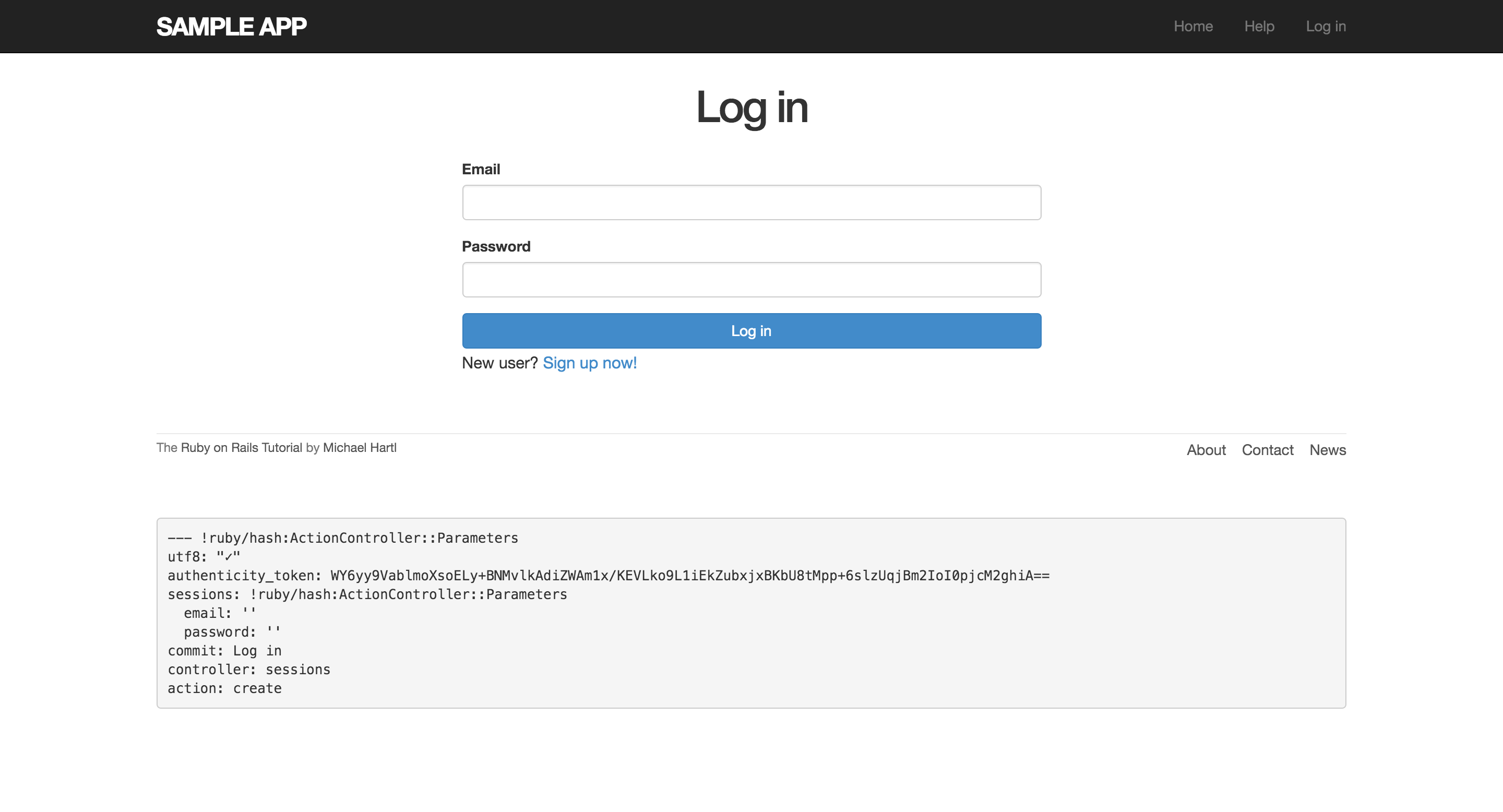
下面的 debug 訊息顯示出,按下送出之後,會產生 params hash,email 和密碼都在 sessions key 裡面:
sessions: !ruby/hash:ActionController::Parameters
  email: ''
  password: ''
commit: Log in
controller: sessions
action: create
params hash 是一個巢狀 hash:
{ session: { password: "foobar", email: "[email protected]" } }
也就是說:
params[:session]
其實就是在讀取 session 這個 key 的值,而這個值是個 hash:
{ password: "foobar", email: "[email protected]" }
所以,要取得 email 跟密碼就是:
params[:session][:email]
params[:session][:password]
也就是說,在 create action 中,params hash 已經包含驗證使用者的 email 和密碼資訊。而實際上我們也已經有了以下方法:
- Active Record 提供的
User.find_by方法 has_secure_password提供的authenticate方法,這個方法會在驗證失敗時回傳false
以下是完整的程式碼:
app/controllers/sessions_controller.rb
class SessionsController < ApplicationController

  def new
  end

  def create
    user = User.find_by(email: params[:session][:email].downcase)
    if user && user.authenticate(params[:session][:password])
      # Log the user in and redirect to the user's show page.
    else
      # Create an error message.
      render 'new'
    end
  end

  def destroy
  end
end
這行:
user = User.find_by(email: params[:session][:email].downcase)
透過提交的 email ,來取出在資料庫裡對應的使用者,因為之前我們讓 email 存進資料庫前都轉成小寫,因此這裡加上 downcase 方法,確保可以比對到正確的資料。
這行是 Rails 慣用的語法:
user && user.authenticate(params[:session][:password])
使用 && 來檢查使用者是否存在以及密碼是否正確。因為除了 nil 和 flase,其他物件都為 true。上述程式碼可能會發生的結果如下表:
| User | Password | a && b |
|---|---|---|
| 使用者不存在 | anything | (nil && [anything]) == false |
| 使用者存在 | wrong password | (true && false) == false |
| 使用者存在 | right password | (true && true) == true |